
SharePoint
Get ready for a simpler way to automate everyday work in SharePoint – using the same easy Workflows experience people already use in Teams. This means staff can set up approvals, notifications, and file actions right where they work, without technical complexity or specialist skills.
With a consistent experience across SharePoint, Teams, and Microsoft 365, Workflows helps teams save time, reduce manual steps, and keep work moving – while still relying on the trusted Power Automate platform underneath.

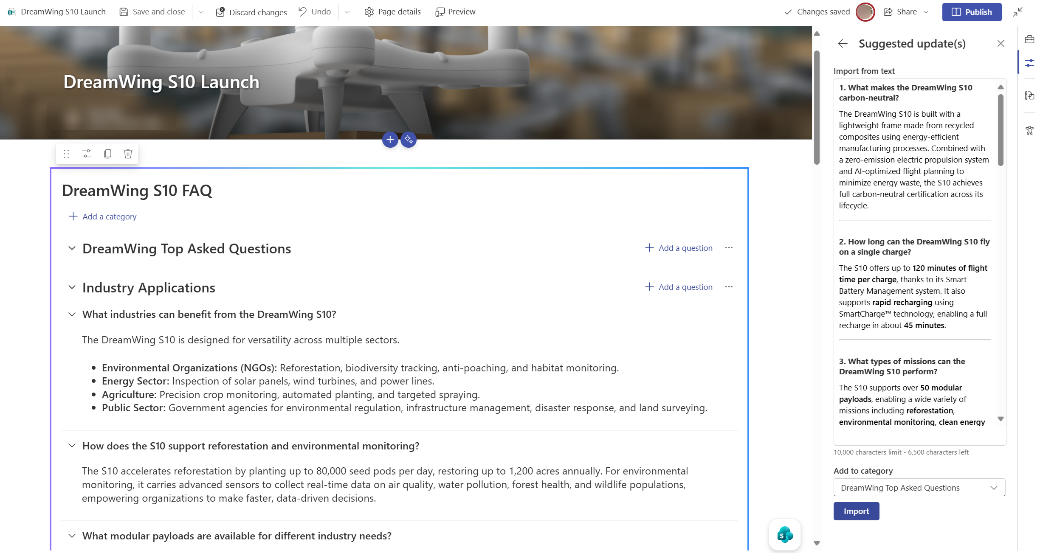
Microsoft is adding AI‑powered improvements to the SharePoint FAQ web part to make it easier to keep FAQs accurate and current. These updates help content owners spend less time maintaining answers and more time supporting their users with reliable information.
Based on customer feedback, the new experience includes AI‑suggested updates, easy import of existing FAQs, and the ability to ground answers directly in SharePoint Pages – improving trust in content while reducing manual effort.
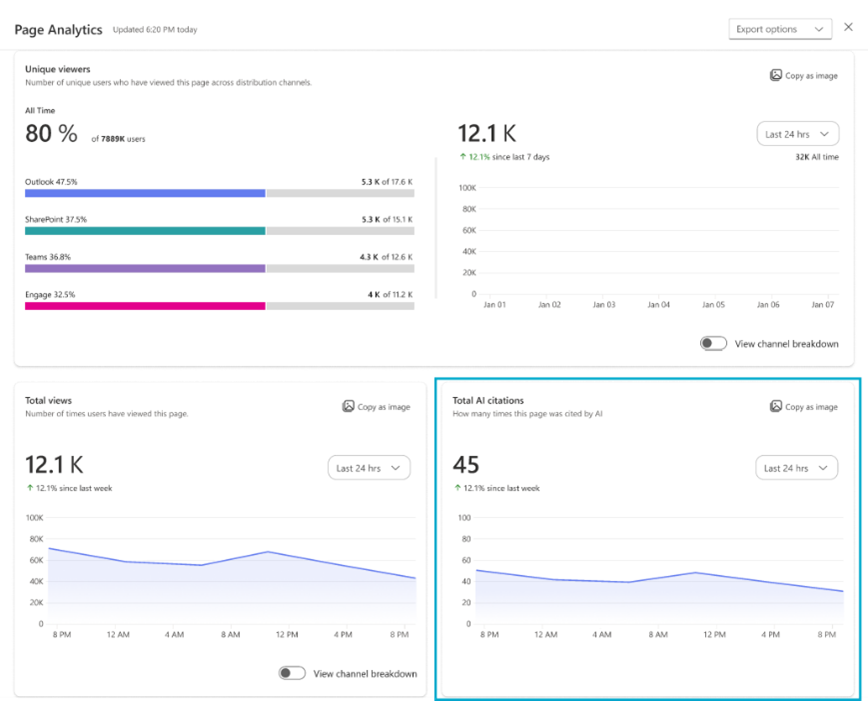
From mid-April, Microsoft is introducing AI citations analytics in SharePoint to help site owners see how their content is being used by Microsoft Copilot and other AI tools. This gives organisations clearer visibility into which documents, pages, and news posts are driving value.
With these insights, teams can identify high‑impact information, improve content quality, and better understand how AI‑powered workflows rely on SharePoint content – supporting more confident content decisions and governance.
AI features that generate citations require the appropriate Microsoft Copilot licences.
Teams
Microsoft is improving the Teams meeting experience when meetings are minimised, making it easier for people to stay engaged while working in other apps. This update helps users remain involved without interrupting their flow of work.
When a meeting is minimised, users can still take key actions – such as raising their hand or sending reactions – without reopening the full meeting window. Users can also choose between two minimised views, depending on how much meeting context they want to keep visible while they work.
This update does not change the experience when users are sharing their screen in a Teams meeting.
Users can take advantage of a quick new /createworkflow command in Teams to make automation easier to start right where conversations happen. This helps users turn routine steps into automated workflows without breaking their flow of work.
By typing /createworkflow while writing a message, users can quickly begin setting up automations such as notifications, task creation, or approvals – without needing to search through menus. This makes it faster to reduce repetitive work and keep teams moving.
This update applies to Teams for Windows desktop, Teams for Mac desktop, and Teams for the web.
Microsoft is improving how Whiteboard files created from Teams channels are stored – helping ensure more consistent access, better reliability, and stronger compliance.
Instead of being saved to the OneDrive of the person who created them, new whiteboards will now be stored in the SharePoint site connected to the channel. This reduces access issues caused by sharing settings or security policies and makes collaboration easier for everyone in the channel.
By aligning Whiteboard storage with other Microsoft 365 apps, teams can work with greater confidence that shared content remains available, secure, and correctly governed.
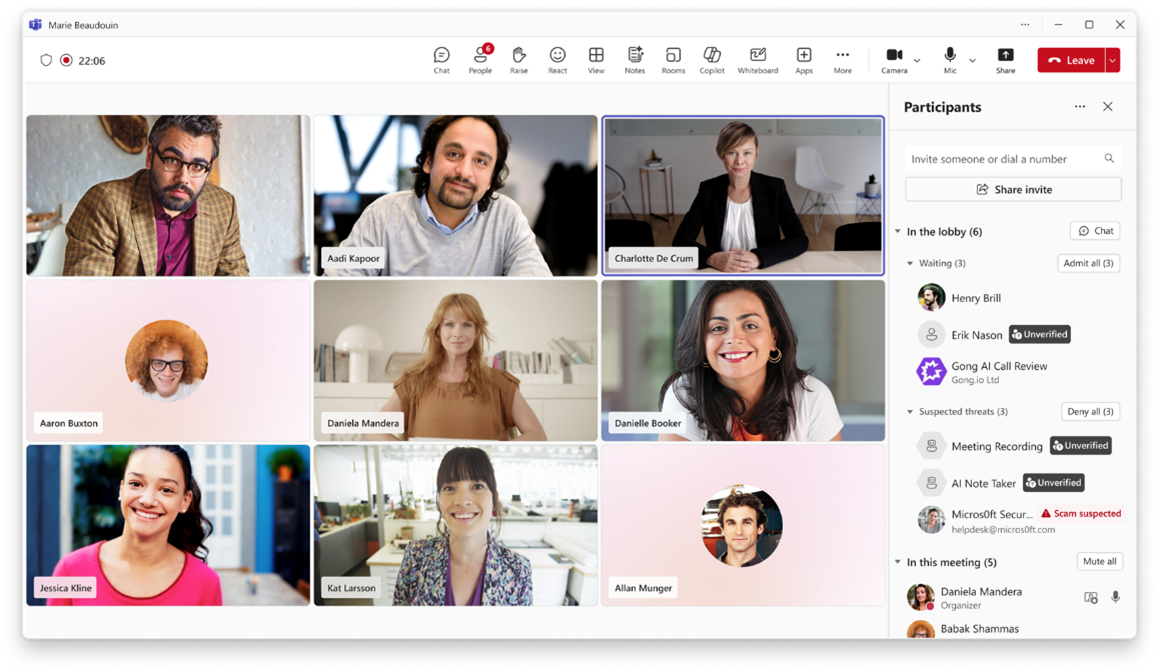
This update is adding new protections in Teams to help organisations safeguard meeting content and better understand when automated participants attempt to join meetings. This update improves visibility and reduces the risk of unexpected or unmanaged AI assistants joining calls.
When an external meeting assistant bot tries to enter a meeting, organisers will have clearer awareness and greater control. Administrators will also have defined controls to manage how detected bots are handled across meetings hosted by the organisation – supporting stronger governance without disrupting everyday collaboration.
Purview
Organisations can take advantage of a new priority cleanup workflow in Microsoft Purview Data Lifecycle Management, helping to reduce data risk while staying compliant. This capability allows administrators to permanently delete specific OneDrive and SharePoint content types – even when retention policies or holds are in place.
This helps organisations manage the rapid growth of Copilot‑related content and limit unnecessary data exposure. Safeguards remain in place, with required eDiscovery admin review and approval ensuring regulatory and legal obligations continue to be met.
Copilot
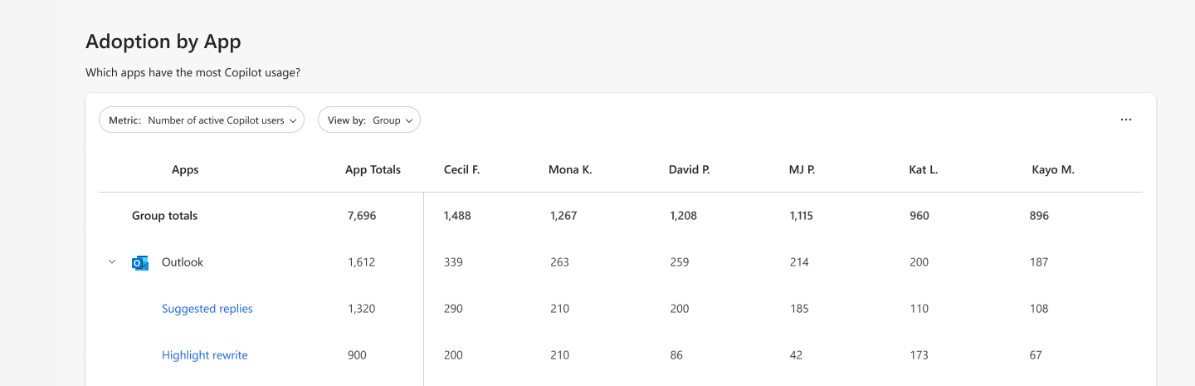
From late April, Microsoft is expanding Copilot metrics across Microsoft 365 to help organisations better understand how people are using Copilot in their everyday work. These insights make it easier to see where Copilot is delivering value and where further support or guidance may be needed.
The new metrics cover actions taken in the Microsoft 365 Copilot app, Microsoft Edge, and OneNote, as well as intent‑based use across Outlook, Word, Excel, and PowerPoint. This gives a clearer picture of adoption and helps organisations make more informed decisions about enablement and investment – supported by richer insight in the Copilot Dashboard and Advanced Analysis in Copilot Analytics.
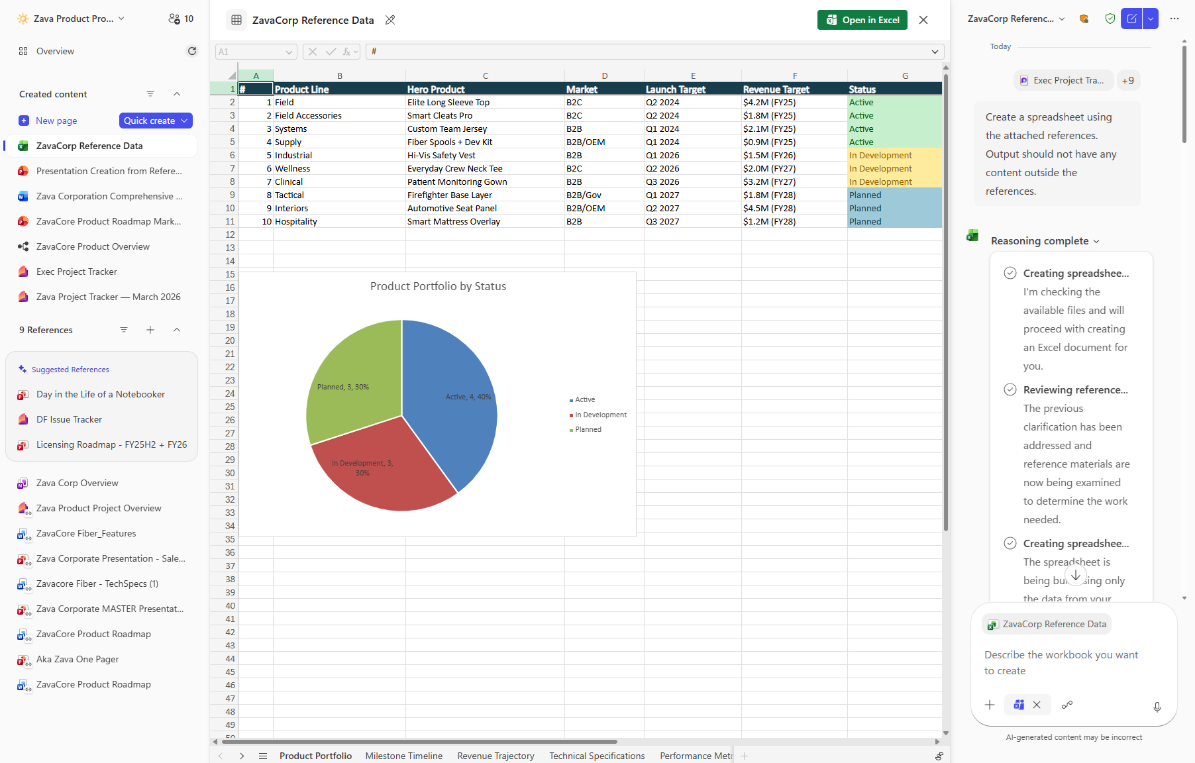
Microsoft 365 Copilot Notebooks now makes it easier to turn ideas into usable data by generating Excel spreadsheets directly from notebook content. This helps users move quickly from notes and source material into structured, ready‑to‑use spreadsheets.
Copilot creates a structured spreadsheet based on the notebook’s context, which can then be opened and edited in Excel. By reducing manual setup and formatting, this capability saves time and helps users focus on analysis and decision‑making – rather than preparation.
Public preview (Frontier) – rollout begins in late March 2026
General availability (worldwide) – rollout begins in late May 2026
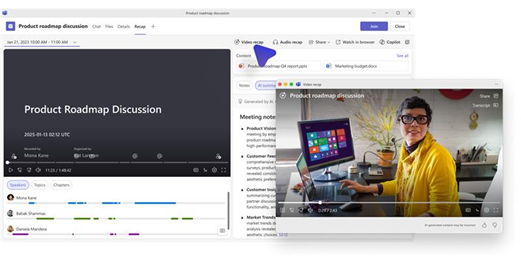
Microsoft is introducing video‑based meeting recaps in Teams to help users quickly catch up on meetings they missed or revisit key moments. This makes it easier to stay informed without watching full recordings.
Video recap creates short, narrated highlights from recorded meetings, combining key takeaways with relevant video clips that show important discussion points. Building on intelligent meeting recap, this update saves time and helps users retain information that matters most.
This update applies to Teams for Windows desktop, Teams for Mac desktop, and Teams for the web.
Rollout begins in early April 2026 and is expected to complete by mid‑April 2026.
Frontier
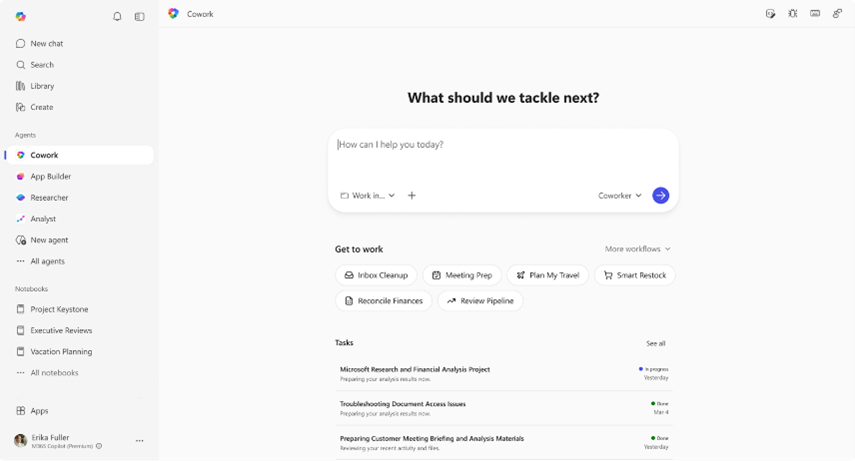
Microsoft 365 Copilot Cowork is now available in Frontier, helping users manage complex work across Microsoft 365 without switching between apps. This makes it easier to move from intent to action while staying focused on real work.
Copilot Cowork goes beyond answering questions by automatically creating plans, coordinating work across emails, meetings, messages, files, and data, and carrying tasks forward with clear progress and user control. This reduces manual coordination and hand‑offs while keeping people in charge.
Designed in response to customer feedback, Copilot Cowork supports more efficient execution without compromising enterprise‑grade security, privacy, or governance controls.
Organisations now have an expanded model choice in Microsoft 365 Copilot, giving users more flexibility in how they work with AI. Anthropic Claude Sonnet is now available in Copilot Chat for users with a Microsoft 365 Copilot licence, alongside the latest OpenAI models.
This allows users to choose the AI model best suited to their task – whether they are drafting content, analysing information, or exploring ideas. By offering more choice, Microsoft continues to bring the latest AI innovation into everyday work while maintaining the security, privacy, and compliance standards organisations expect.