
SharePoint
Microsoft is refreshing the SharePoint experience to make it easier to find information, publish content, and build practical business solutions. The updated design simplifies navigation, improves how information is organised, and lays the groundwork for future AI‑assisted creation in SharePoint Online. Access to the new AI capabilities requires a Microsoft 365 Copilot licence.


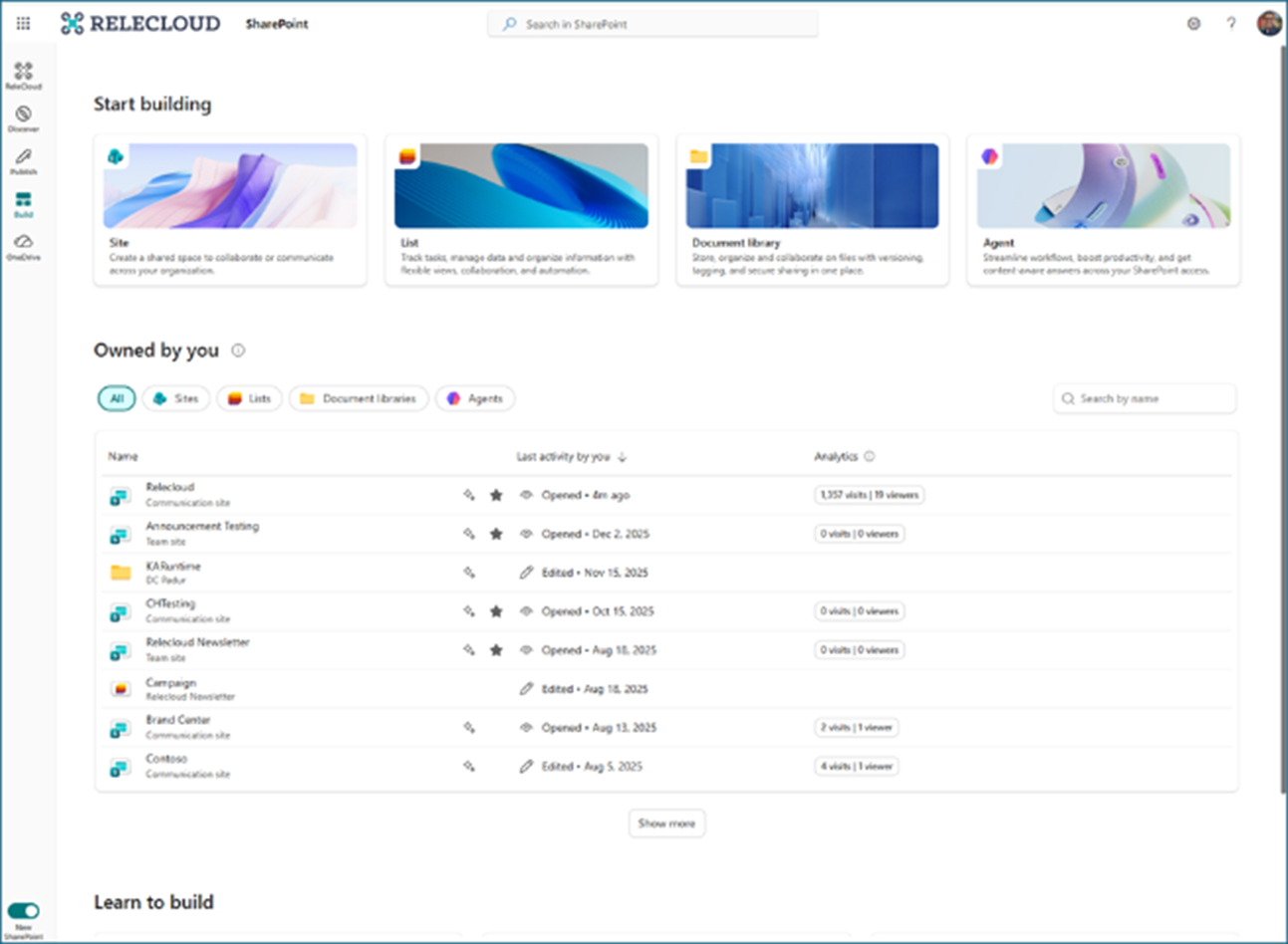
Microsoft is improving the SharePoint page template gallery to make it easier to discover, browse, and use the right templates when creating pages and news posts. The update introduces 31 new templates, simplifies how users access the gallery, improves navigation consistency, and helps content creators get started faster with templates that fit their purpose.

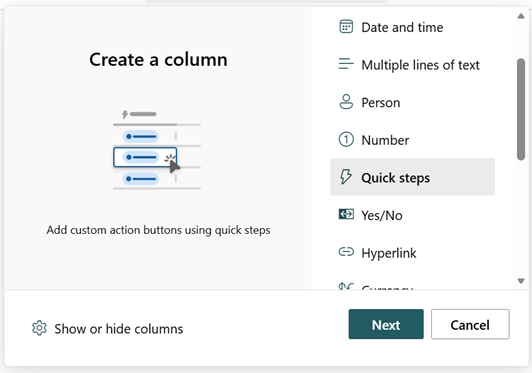
SharePoint’s Quick steps experience has been extended, making Quick steps available as a column type in SharePoint lists and libraries. This expands how users can trigger common actions directly from their data. Building on existing Quick steps capabilities, the update introduces inline automation – including email, Teams chats, approvals, flows, and column updates – embedded directly into list and library views through a simple, sentence‑builder experience similar to SharePoint rules.
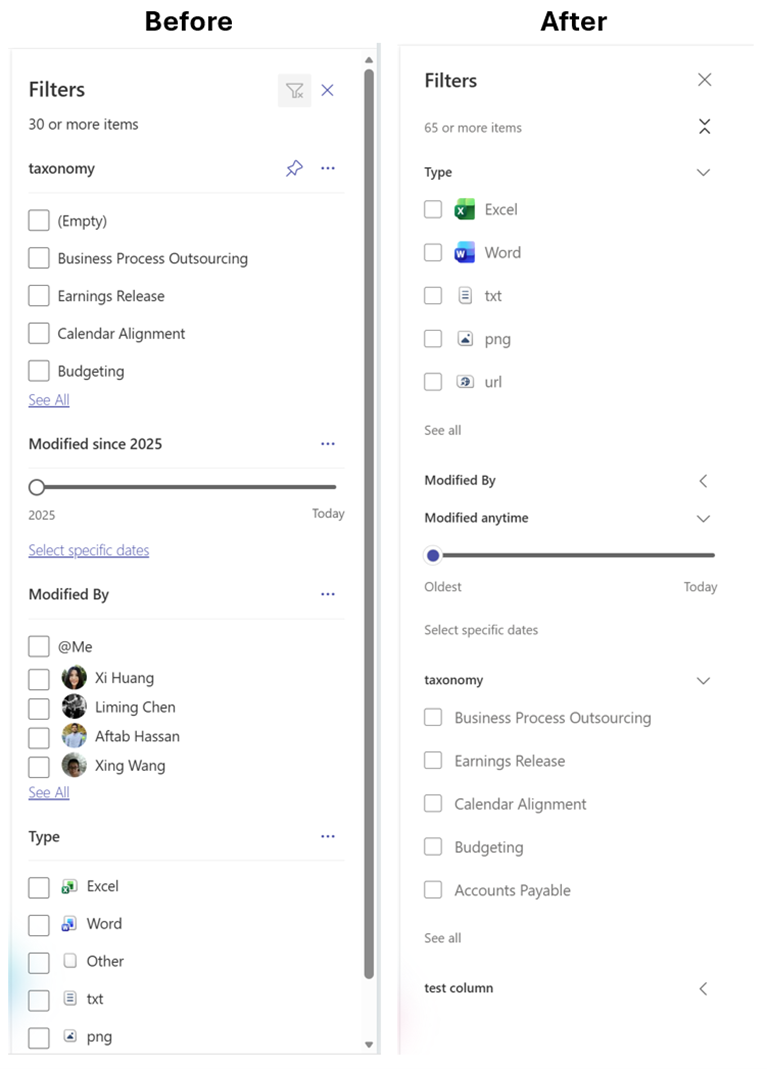
The filter pane in SharePoint document libraries and lists is being updated to deliver a faster, more flexible filtering experience. Core functionality remains unchanged, so users can continue filtering by metadata as they do today. The improvements address performance issues and reflect customer feedback, resulting in a more intuitive and responsive interface.
Teams
A new flexible layout option is being introduced for Teams meetings, giving users greater control over how shared content and participant videos are displayed. A resizable divider allows users to adjust the balance between shared content and the video gallery, supporting spotlighted speakers, pinned videos, and Speaker View – particularly useful for large or ultra‑wide displays.

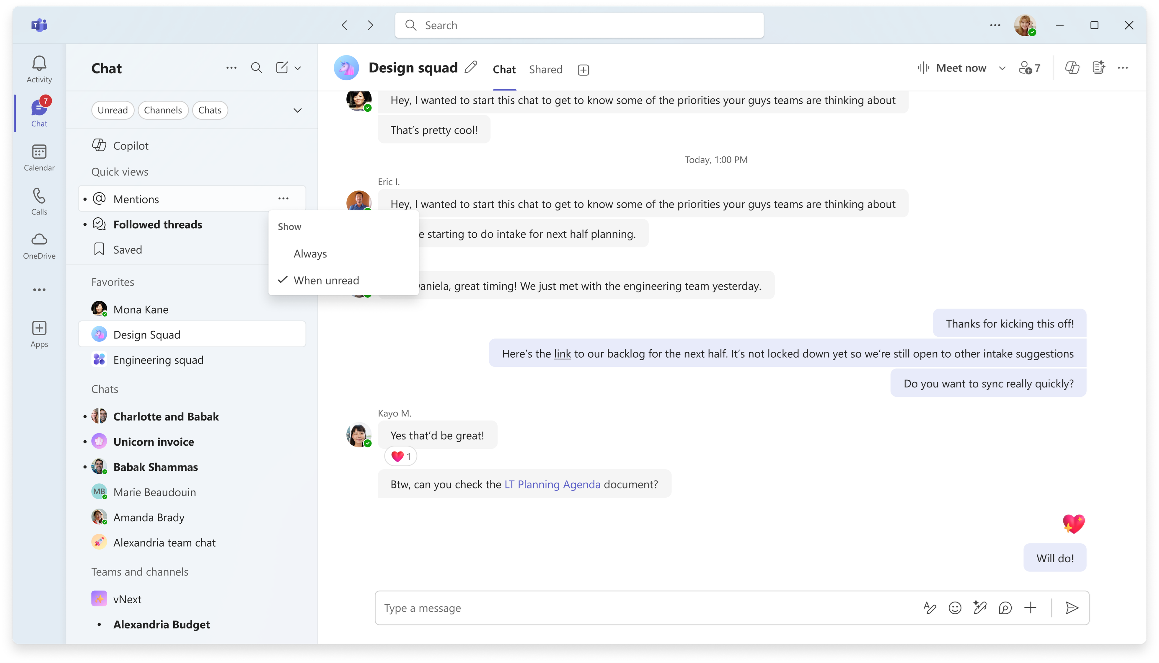
New controls are being introduced in Microsoft Teams that let users customise how quick views appear at the top of their chat and channels lists. These controls help reduce clutter and make it easier for users to focus on the views that matter most to them.
The Teams app bar is being simplified to create a cleaner, more focused workspace. The update reduces visual clutter and gives users greater control over how much screen space the app bar uses, helping them stay focused on what matters most.

Access to People Skills is being expanded within Microsoft Teams, allowing employees to view skills directly on Microsoft 365 profile cards. This makes it easier to learn about colleagues’ capabilities and manage personal skills profiles, supporting stronger collaboration and clearer visibility across the organisation.
Purview
New configuration options are being introduced in Purview that allow administrators to set separate retention policies for Copilots and AI apps. This provides greater flexibility to manage retention and deletion timelines, helping organisations apply more precise governance as AI usage evolves.
Copilot
A new handoff experience is being introduced that allows content created in Copilot Pages to continue seamlessly as a SharePoint news post. This helps users move more efficiently from early ideation to publishing, reducing rework and speeding up content creation.

A new co‑branding capability is being introduced that allows organisations to display a branded footer in the Microsoft 365 Copilot app. This helps users clearly identify a trusted, work‑managed Copilot experience and reinforces organisational ownership and governance.

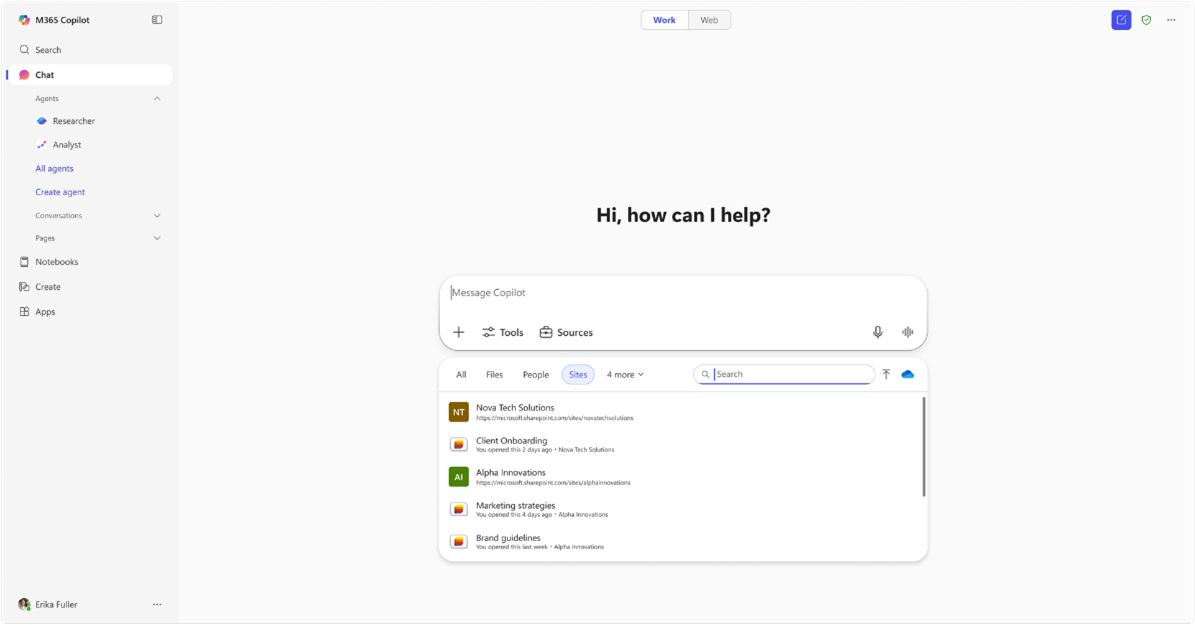
Microsoft 365 Copilot is being enhanced to allow users to search for, select, and insert SharePoint Lists directly into prompts in Copilot Chat. Users can add lists via Context IQ by typing a forward slash (/) or selecting Add work content from the plus menu (+). This helps ground prompts in relevant organisational data, improving the accuracy, relevance, and usefulness of Copilot responses.
Meeting scheduling is being added to Copilot in classic Outlook for Windows, allowing users to create meetings directly from a single prompt. Copilot can help find availability, reserve rooms, draft agendas, and send invitations in one flow, reducing manual steps and making meeting coordination faster and more efficient.

OneDrive
Expiration policies are being introduced for “People in your organisation” sharing links in SharePoint and OneDrive. This helps reduce long‑term access risks and strengthens data governance by ensuring shared links don’t remain open indefinitely.