
Teams
Microsoft have introduced a new policy that gives IT admins further control over voice and face enrolment settings. By default, voice and face biometric enrolment is enabled, enabling voice isolation and speaker recognition in meeting rooms, and enhancing intelligent meeting recaps and Copilot for meetings.
A new slide control feature for PowerPoint is being introduced for Teams meetings. The feature will allow presenters to share control of PowerPoint presentations, making it easy for each speaker to directly control their own content. This update will begin rolling out in July, and is expected to be complete before August.
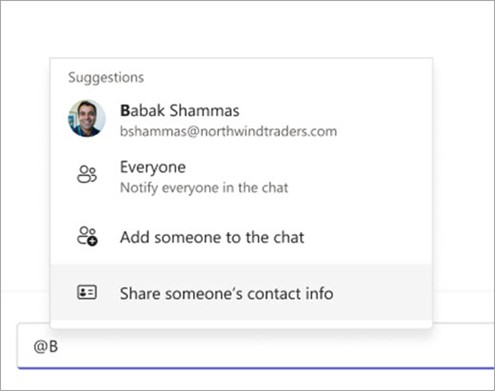
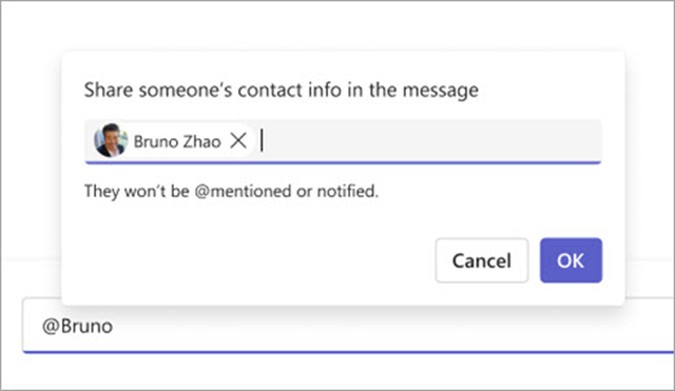
Users can now share contact information about a person in a Teams channel, making it easier to reach collaborators.
Real Time Text (RTT) support is being made available in Teams meetings and calls. RTT is an accessible communication method that shows text characters as they are typed, enabling more immediate and responsive text-based conversations. The enhancement supports inclusivity by providing alternative communication options for users who are deaf, hard of hearing, neurodiverse, or have speech related disabilities. This will begin rolling out in early July and is expected to be complete before mid-July.
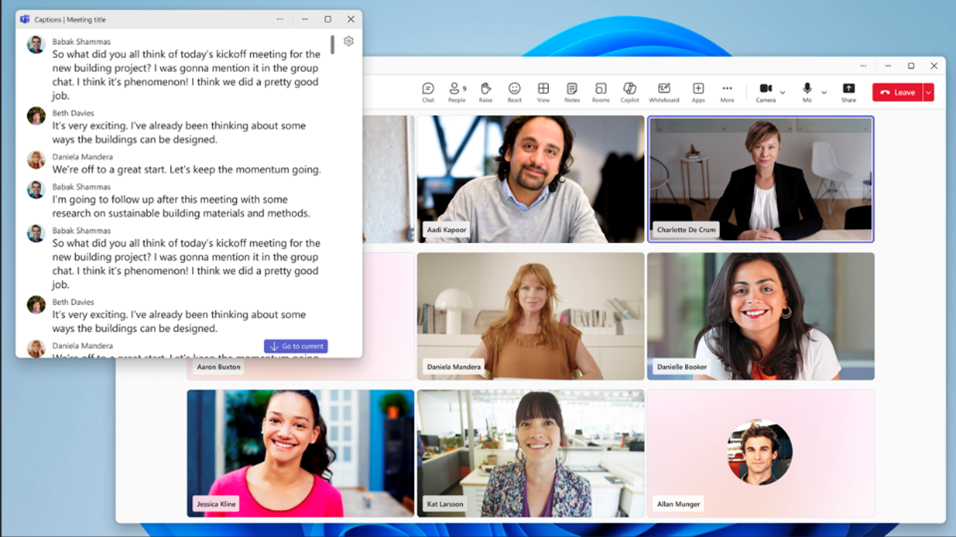
The ability to pop out live captions and RTT in calls and meetings is coming in July. When popped out, captions and RTT will open in separate windows that users can resize and move.
Soon users will have the option to customise their keyboard shortcuts through the keyboard shortcuts dialog. This update will be rolling out in early June and is expected to be complete by mid-June.
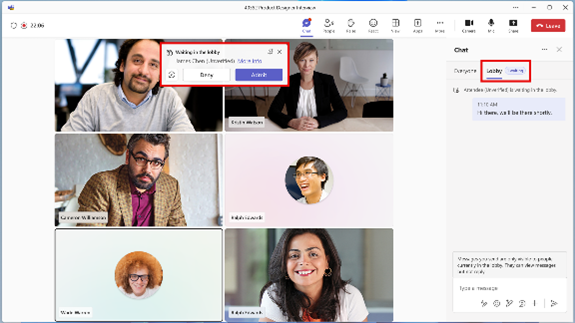
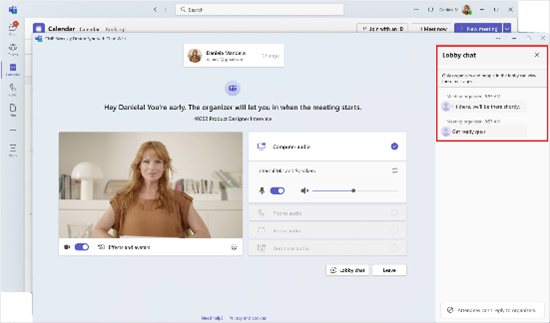
Rolling out in late June, soon meeting organisers will be able to send one-way messages to attendees in the meeting lobby using the Lobby chat. The Lobby chat is intended to optimise the lobby experience for all participants, ensuring that organizers are better equipped to run external meetings and external attendees are well informed about the meeting when it begins.
Copilot
Soon Copilot will automatically create an automatic presentation summary for PowerPoint, to help readers understand the points covered within the slide deck. This update is rolling out in late May and is expected to be complete before mid-August.
Microsoft have announced the re-enablement of a Copilot security control that will block the access and recording of transcripts created from conversations between agents and end-users. This feature is available again now.
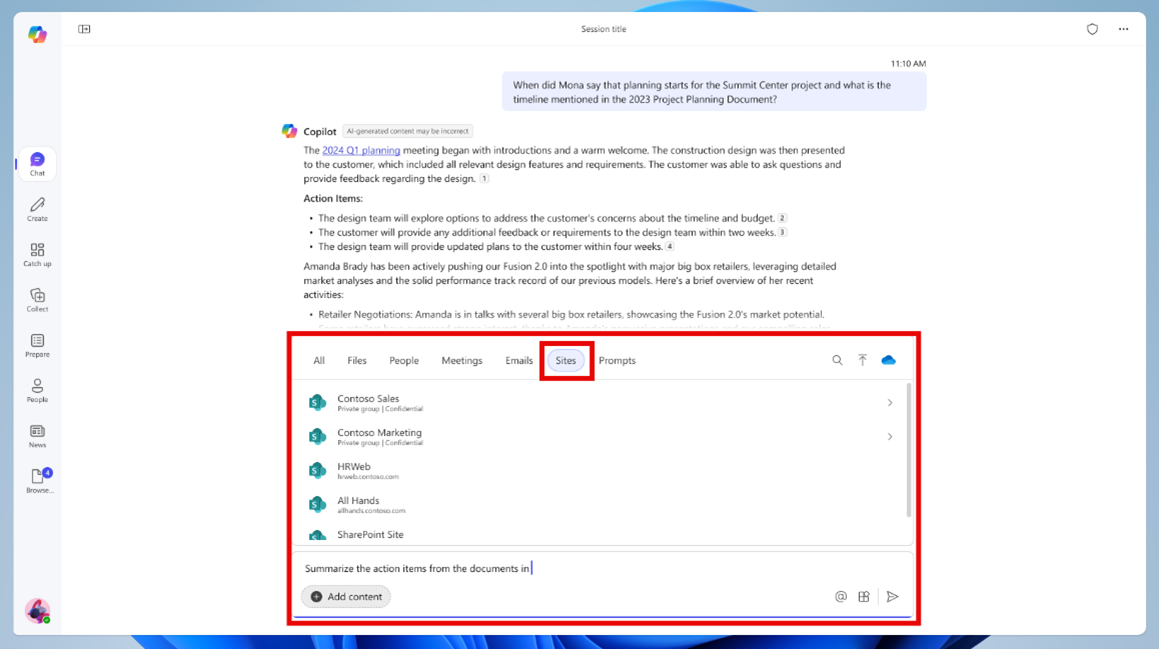
Coming in June, SharePoint sites will soon be able to be selected when writing Copilot prompts. This will anchor a response to a certain area and ensure that Copilot is looking at relevant data.
Rolling out in May and June, soon Copilot will be capable of creating an audio overview for documents, meetings, and files, enabling a listening experience that is easy to follow. Users will be able to ask Copilot to generate an audio overview in the Copilot chat pane, and Copilot will bring the content to life through a podcast-style discussion between two hosts who offer insightful commentary, draw connections between topics, and even exchange lively banter about the key points of their content.
Planner
Starting April 18th, there will be changes to how plans are created and managed. Plans created through Project in Power Apps or Project Accelerator or Project Online will no longer appear in the Recent tab within Planner and Project.
Microsoft recommends the following work arounds:
- Project in Power Apps or Project Accelerator users can open plans via the Tasks tab or use the “Open in Project” option to ensure plans appear in the Recent tab in Project for the web and Planner My Plans.
- Project Online users can continue to access plans through Project Online, though these plans may not sync to the Recent view in Project for the web or Planner My Plans.
Power Automate
After April 25th, flows will be able to be saved for future retrieval with the designer resiliency feature. The feature automatically saves a copy of flows to browser storage upon a failed save, even if there are errors.
In June, Microsoft will update the prerequisites for sharing cloud flows. Users will need to be a member of the environment where the flow is located.
Retirement and End of Support
Microsoft have released another reminder that support for Office 2016 and Office 2019 will end on October 14th. After that date, no further updates, security fixes, or technical support will be available for these versions of Office. While the applications may continue to function, using unsupported software could lead to potential security risks, compliance risks, system incompatibilities, and other issues. Microsoft recommends updating devices to a supported version.
Starting July 1st, classic Teams will be unavailable to use. There is a script that can be used to find Windows devices that need to be upgraded to new Teams.
Viva
External Networks are being modernised. The modern Viva Engage user experience is available now for External, and Microsoft is asking users to initiate migration. When requested in future communications, admins must choose to migrate External Networks to the modern platform. Failure to respond will result in the legacy External Networks being retired and deleted. This retirement is taking place on June 15th, but a sixty-day extension can be given if requested to a Microsoft Account representative.
Actions you need to take if you want to migrate from the current implementation to the modern one:
1. Identify all your External Network usage. As an Engage administrator, you may not currently be the administrator for older External Networks associated with your tenant.
2. Use the network data export to download a backup of each of your External Networks.
3. Inform users who are using External Networks that the experience will shift from the current to the new one once the migration is complete.
4. Check the Message center for further updates.