
SharePoint
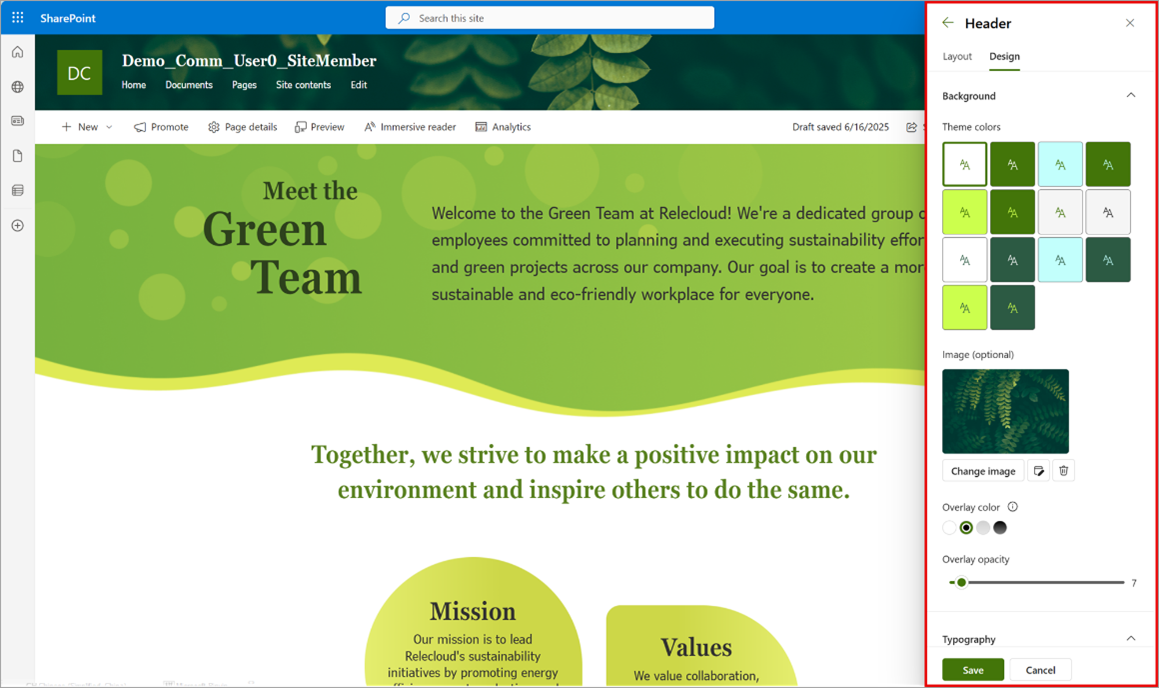
The SharePoint header and footer are being updated to deliver a more customisable and modern experience. New options will be available to visually customise the header, footer, and navigation links. This update is rolling out in mid-August and is expected to be completed before the end of August.

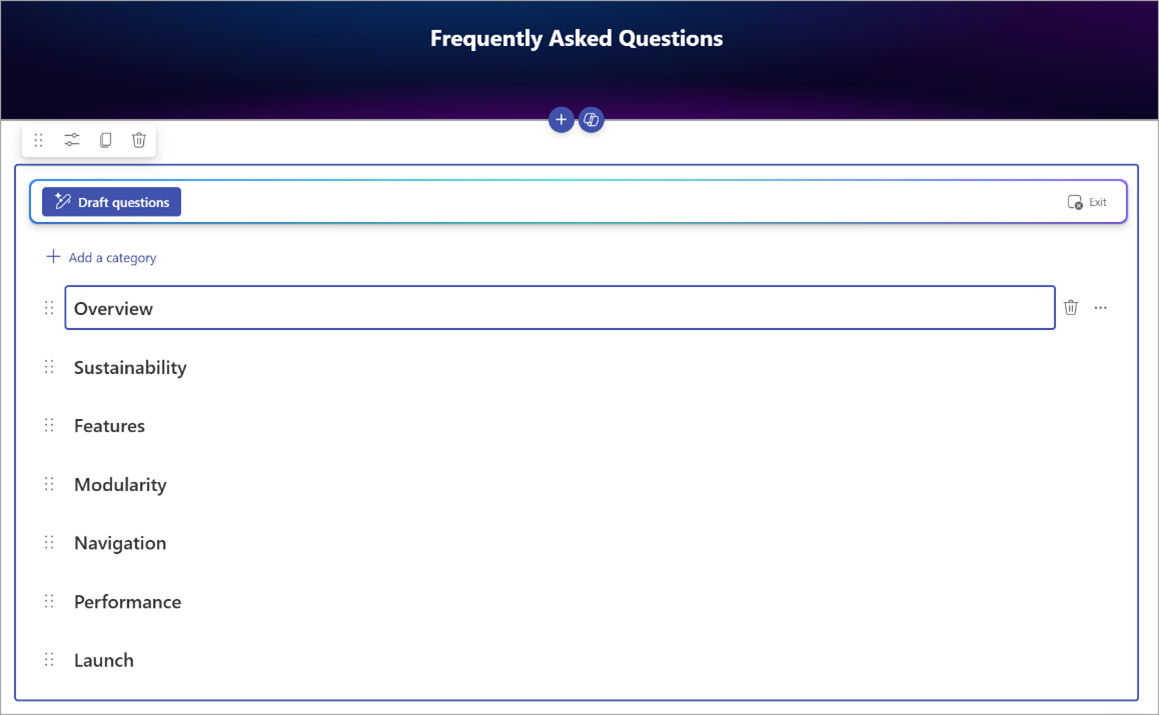
A new webpart for FAQ will be made available before the end of July. This webpart will help content owners keep their content fresh and relevant. The webpart is powered by Copilot, and helps users curate FAQ by working with agents and connecting grounded data. While a Copilot license is required for setting the webpart up, all users can view the webpart content without a license.
Teams
The storage location for Whiteboards created via the Teams Channel Tab App is being changed. Previously these were saved on the initiator’s OneDrive, which would cause access issues. Now whiteboards created this way will be stored in the corresponding SharePoint site of that Teams Channel.
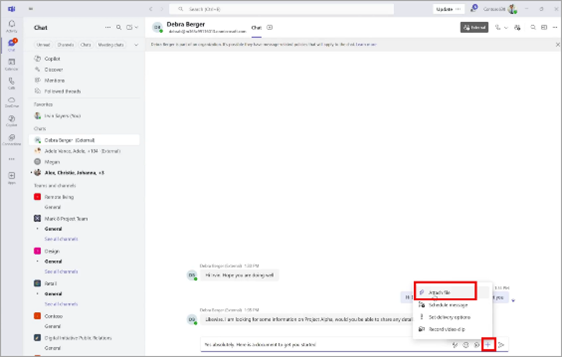
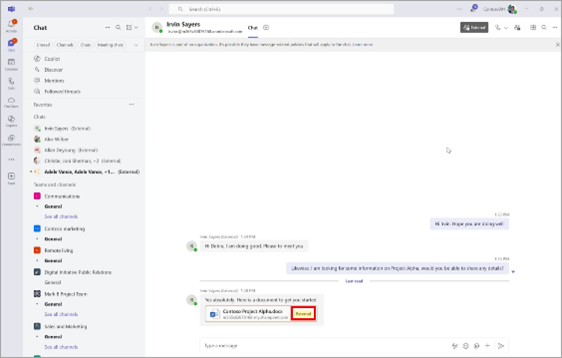
A new capacity is being introduced to Teams that allows users to attach files when messaging external users in one on one and group chats. The enhancement improves collaboration by enabling file sharing across organisational boundaries. When enabled by admins, users will see an ‘Attach File’ option in the plus menu of the chat compose box when messaging external users. This update is rolling out now and is expected to be completed before the end of the month.
Enhancements to Teams meetings are coming that will allow them to be more accessible for sign language users. Before the end of the month a Sign Language Mode will be available. When enabled, interpreters will be clearly identified in the participant roster and distinguished visually throughout a meeting. Sign language users will be automatically detected and elevated to active speaker status, ensuring equal prominence with spoken audio participants.
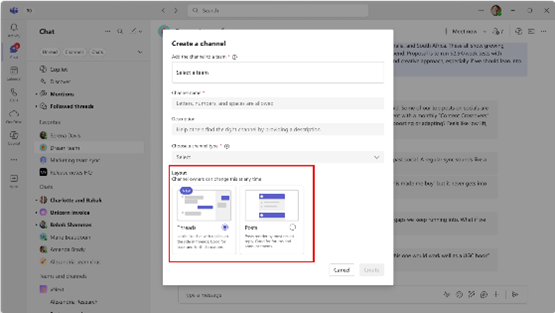
A new threaded conversation layout is coming to Teams channels. The threaded layout will encourage immediate back-and-forth communication in channels. Users will be able to reply to specific messages and start a thread in the side pane, allowing for side conversations while keeping the main conversation going without clutter. This update has begun rolling out now and is expected to be complete before the end of August.


The search experience in Teams Desktop is being improved to make it easier for users to find and act on past, present, and future meetings, directly from the search bar. From search, users will be able to join meetings, view recaps, RSVP, and access meeting chats and shared items. A new Meeting pill in the Auto Suggestion canvas allows users to scope searches to meetings only. This update is rolling out now.
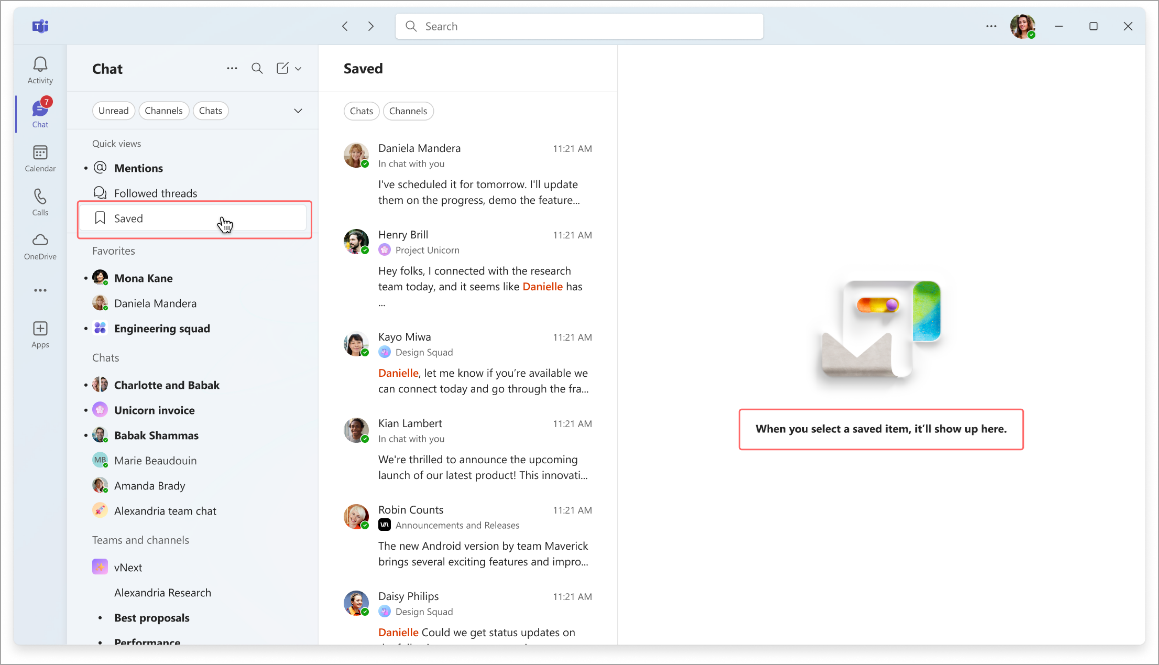
A ‘Save for Later’ feature is coming to chat and channel messages, allowing users to access a saved post, reply, or chat in a new ‘Saved’ view in their Chat or Teams list. Clicking a saved message will open the full conversation in the right pane, enabling users to review or respond directly. This update will begin rolling out in August and is expected to be complete before September.

A number of enhancements are coming to live captions and live transcripts in Teams meetings. Live captions will become scrollable, and to protect sensitive content, copying text from live captions will now be disabled by default. The Live transcript panel will no longer automatically open to reduce distractions. When transcription is enabled, users who attempt to open the Live transcript panel will now see a banner suggesting they switch to live captions instead. This will help guide users to the most appropriate feature for following the conversation in real time. These updates have begun to roll out now and are expected to be complete before mid-August.
A countdown time is being added to Teams meetings. This feature allows any participant to add a visual timer (up to 100 minutes) within the meeting window, to help manage time effectively. This update has begun rolling out now and is expected to be complete before the end of the month.

Rolling out before the end of this month, users will soon see a pop-out icon at the top of their Notes, Chat, and Copilot side panes when in Teams meetings. When selecting the icon, the pane will pop out a separate window that users can drag and resize.

Rolling out now, soon when creating a new channel, creators will be able to select any team to host the channel, provided they have the necessary permissions to create channels under that team. Admins or users creating a channel from the ‘New items’ drop-down will be able to select any team to host the channel - not just the user's teams with shown channels in the teams and channels list.
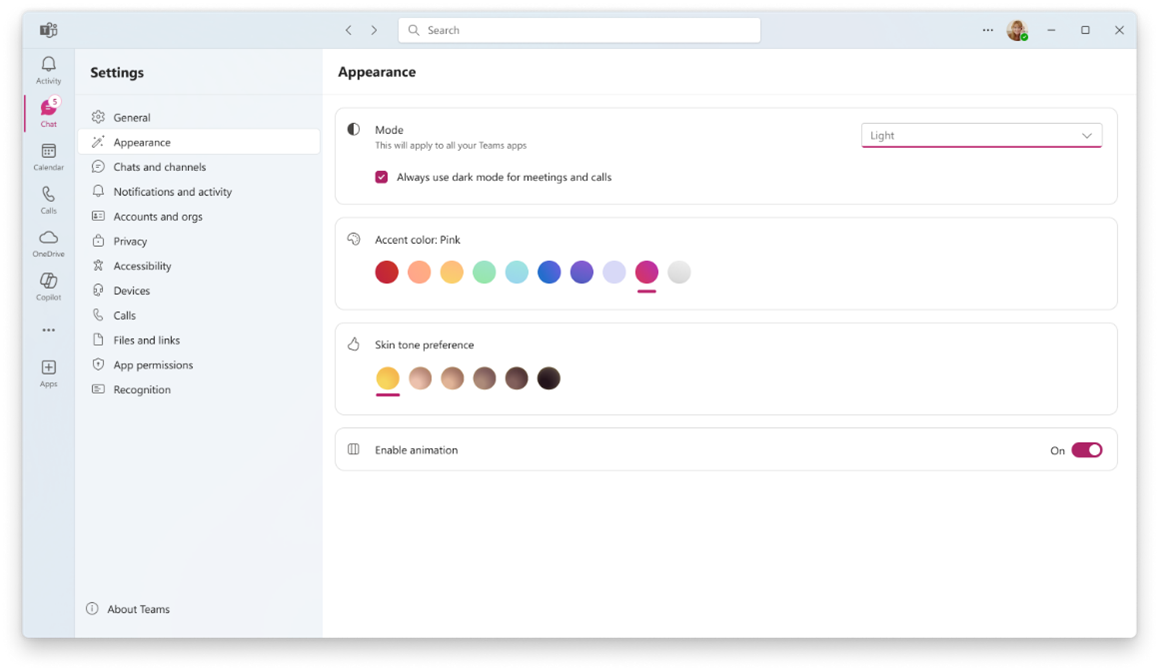
A new cosmetic personalisation feature is coming to Teams, allowing users to select from a set of accent colours. Accent colours can be changed by navigating to Settings, then Appearance. This feature will be available before the end of August.
Microsoft is introducing a new Network Strength Indicator. This feature will display a user’s current network quality using a three bar system – From good (Three bars) to Bad (One bar). When the connection is limited, Teams will suggest actions to help maintain meeting performance. It will also show when other participants are experiencing poor or bad network conditions, providing better context for disruptions in the meeting. This update will roll out in late October and is expected to be complete by mid-November.

A new Meeting Join Bar is being added to Teams. This will help users access meetings they have RSVP’ed to as ‘Yes’ or ‘Tentative’. When a meeting is live, a banner will appear allowing users to join directly. If multiple meetings are active, the banner will display the count and offer a “View More” call-to-action, enabling users to choose which meeting to join. This feature is rolling out now.

A new compact size has been introduced for Teams notifications. Now users can navigate to the Notifications and Activity section of settings, and switch between Comfy and Compact notifications.

File open preferences have extended to more MS365 apps. Users are able to set their preference for how cloud-hosted apps should open, when they click links to files from Teams. Soon this feature will extend to other apps, starting with Outlook, and rolling out to include other types.
Rolling out now, soon users will be able to pin the App Bar directly from the hamburger menu in the top left of Teams, allowing for more flexibility in customizing the Teams layout.

Rolling out in August, soon users will be able to insert emojis in the text box by typing a word surrounded by colons. For example - :smile: will turn into a smiling emoji. Custom emojis will also have this ability.
Copilot
Copilot will soon make it easier to schedule meetings directly from email conservations using a ‘Schedule with Copilot’ feature. Copilot will be able to analyse an email thread and automatically create a meeting invitation with a title and agenda, while attaching the email thread for reference. Attendees from the email are added to the invite and can be quickly reviewed and edited before the invite is sent. This update is rolling out now and is expected to be completed before the end of August.

People Skills is now generally available. It is an intelligent data layer that infers skills from user activity mapped to a customisable built-in skill taxonomy, enhancing Copilot Chat and Microsoft Viva experiences with information about the people in an organization.
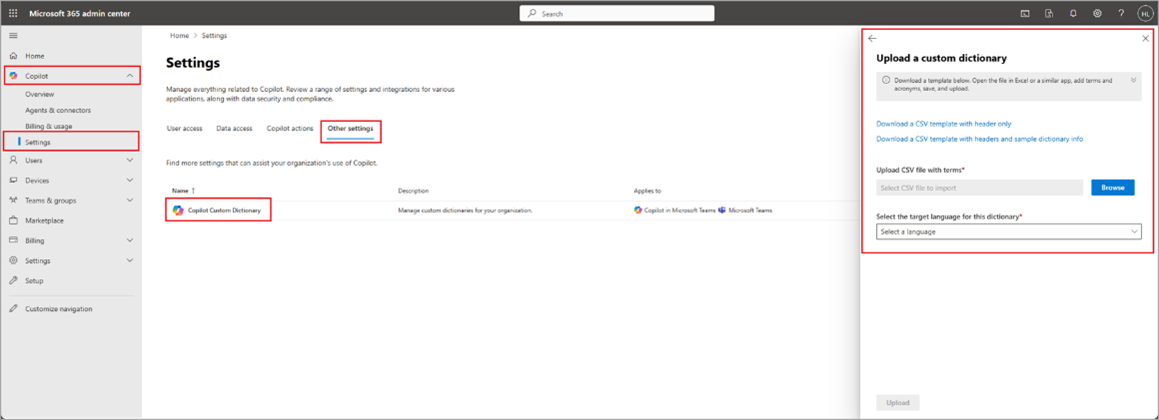
Rolling out this month, a custom dictionary is being added to the Copilot Settings page in the MS365 admin centre. Tenant admins will be able to upload a dictionary of company specific terms that Copilot wouldn’t otherwise know, so that Copilot and Intelligent Recaps can recognise and use these words.
Available before the end of this month, a new feature will be introduced that will allow IT admins to configure and customise Copilot Search across an organisation. This feature provides centralised tools to tailor search experiences to organisational needs, and will affect information discoverability, reducing the time spent searching for critical content.

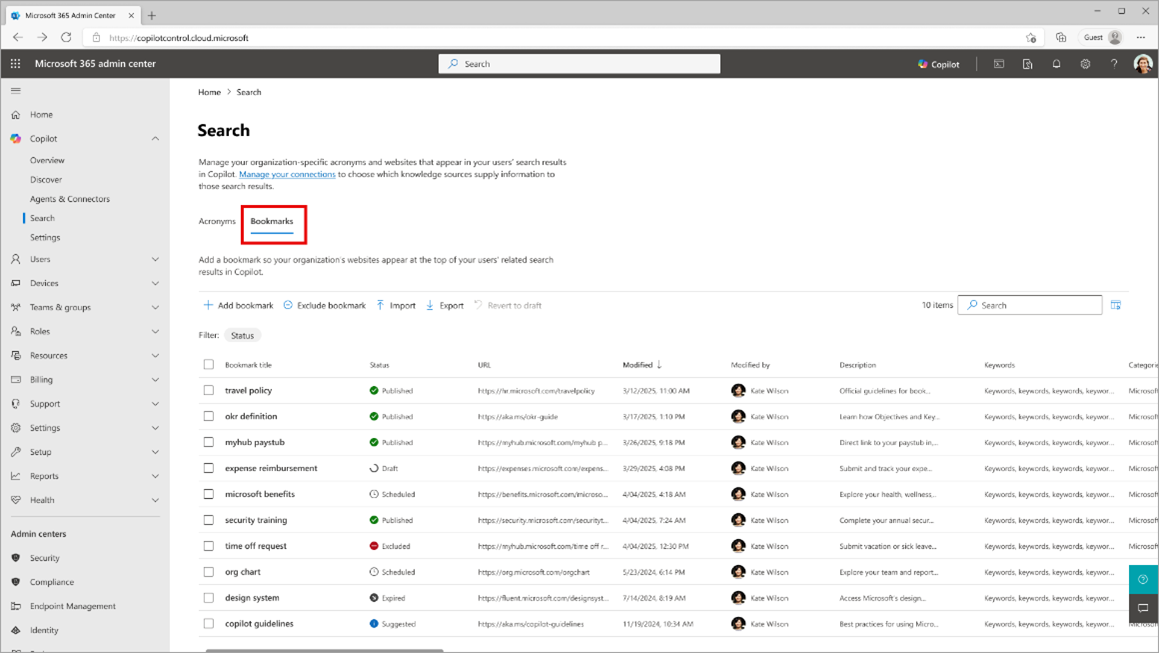
Copilot in the MS365 admin centre is being expanded to also be included in the Teams admin centre. This change is being introduced to public preview now.
From mid-July, the Researcher agent in the Copilot Prompt Box is generally available.
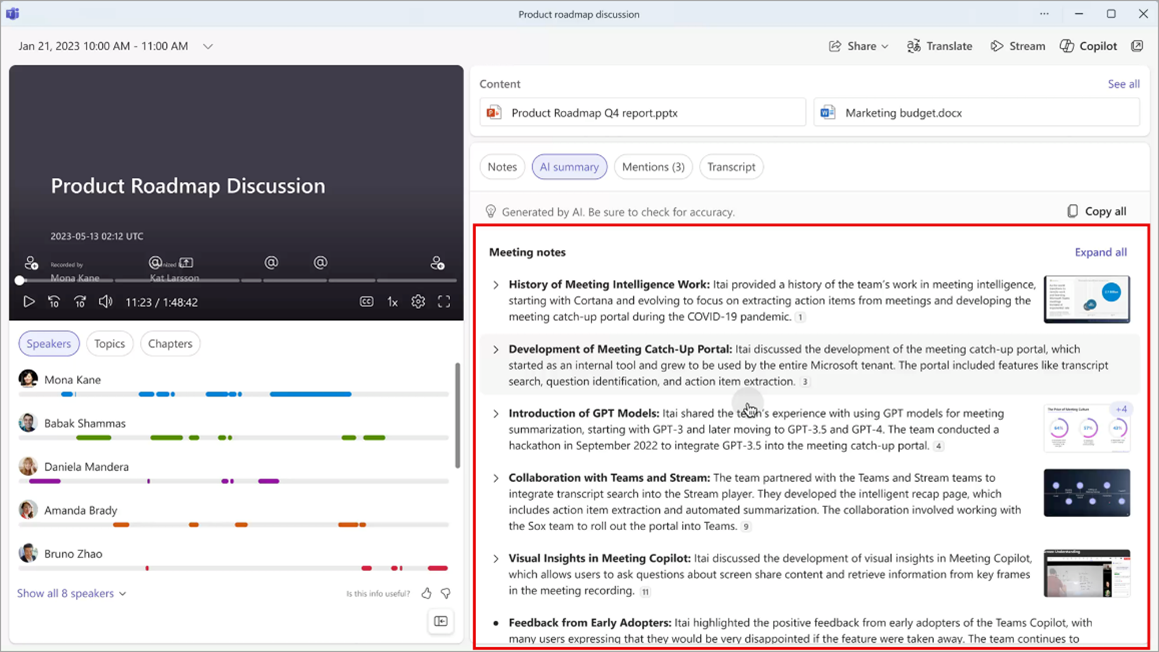
Rolling out in September, soon Copilot Intelligent Meeting Recaps will be able to incorporate content shared on screen into the AI-based summaries provided after the meeting.
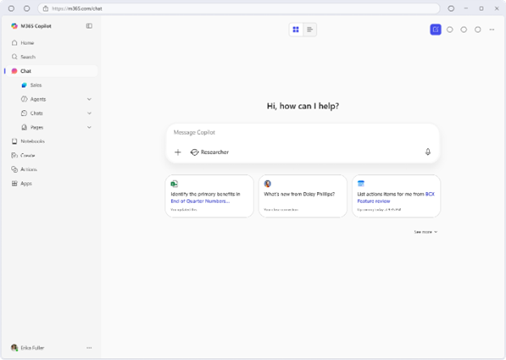
Microsoft has introduced Microsoft 365 Copilot Search, a new AI-powered, enterprise-grade search experience. This unified search experience is accessible through the Microsoft 365 Copilot app. The search leverages Microsoft Graph and Microsoft 365 Copilot connectors to index content across Microsoft 365 and third-party apps. It interprets user context, natural language, behavioral signals, and organizational relationships to deliver highly personalised, context-aware answers to complex queries. It is integrated with Copilot chat. This is rolling out now and is expected to be available generally before the end of August.
Changes for the Facilitator agent are being rolled out in September and are expected to be completed before October. Soon the agent will be able to take real-time notes during Teams meetings, allowing participants to co-author and collaborate seamlessly.
Researcher will soon be available directly in Microsoft Word. This change is rolling out in August and will be completed September 1st.
The file types supported in Copilot chat will be expanded to align with those supported in the Microsoft Search experience. This allows users to ground their questions to a broader range of content types. This change is expected to be generally available before the end of September.
Entra
An update is rolling out for the authentication experience for guest users signing into a tent for collaboration via Entra ID B2B collaboration. After the rollout, users will begin signing in on the company’s branded sign-in screen. Next, they will be redirected to their home organisation’s sign-in page to enter their credentials. This ensures they see the branding and URL endpoint of their home tenant, making clearer whose credentials to use. After successful authentication, they will be redirected back to your organisation to complete the sign-in process. The update is rolling out now and is expected to be completed before the end of the year.
OneDrive
Microsoft have made critical changes to how OneDrive and SharePoint integrate with Entra B2B. This will affect how external users access previously shared content. External users will no longer be able to access files, folders, or sites that were shared via SharePoint One Time Password before the organisation enabled Microsoft SharePoint and OneDrive integration with Microsoft Entra B2B. Resharing is required for them to be given access again. After the integration is enabled, external sharing will use Microsoft Entra B2B Invitation Manager.
Viva
Viva Engage no longer supports private content mode, which was previously present within the classic Yammer admin centre. Verified admins will no longer be able to enable or disable this feature.
As of mid-July, users are now able to select a community when posting a question from the Answers Tab. This ensures questions are directed to the most relevant audience.
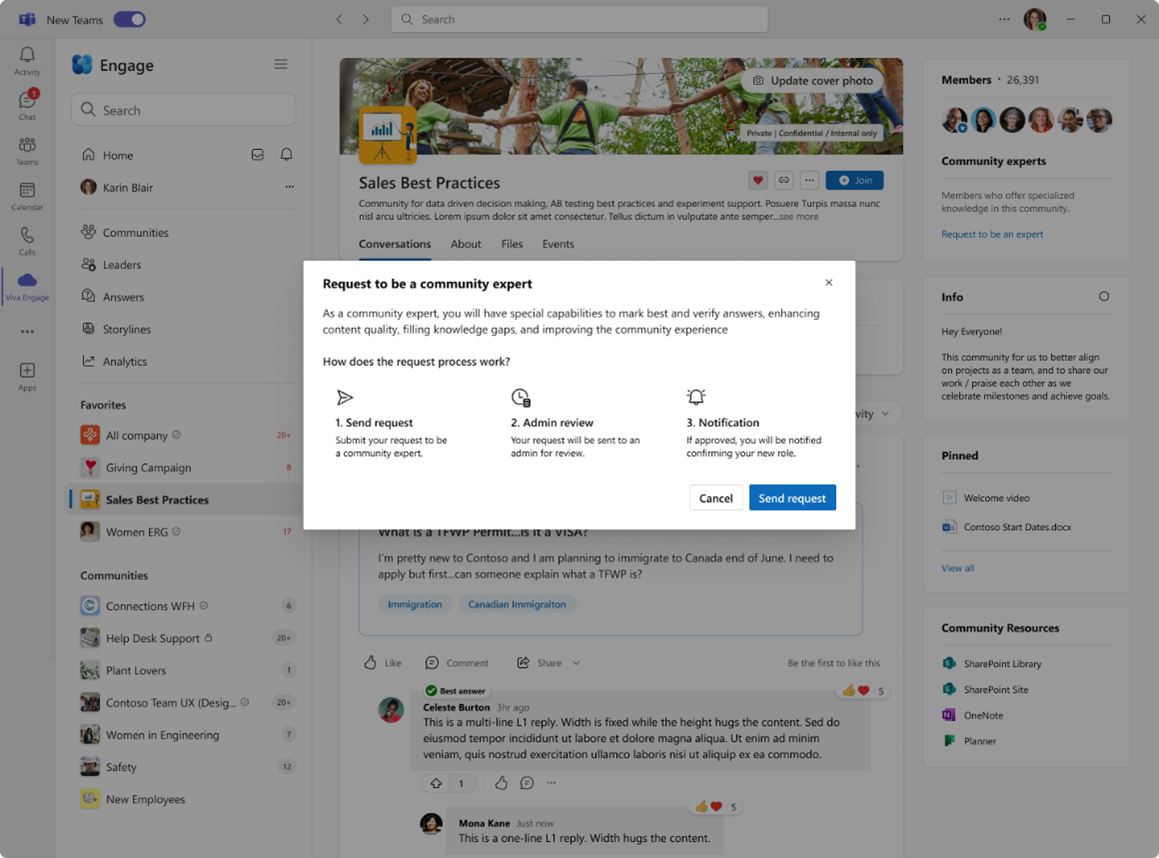
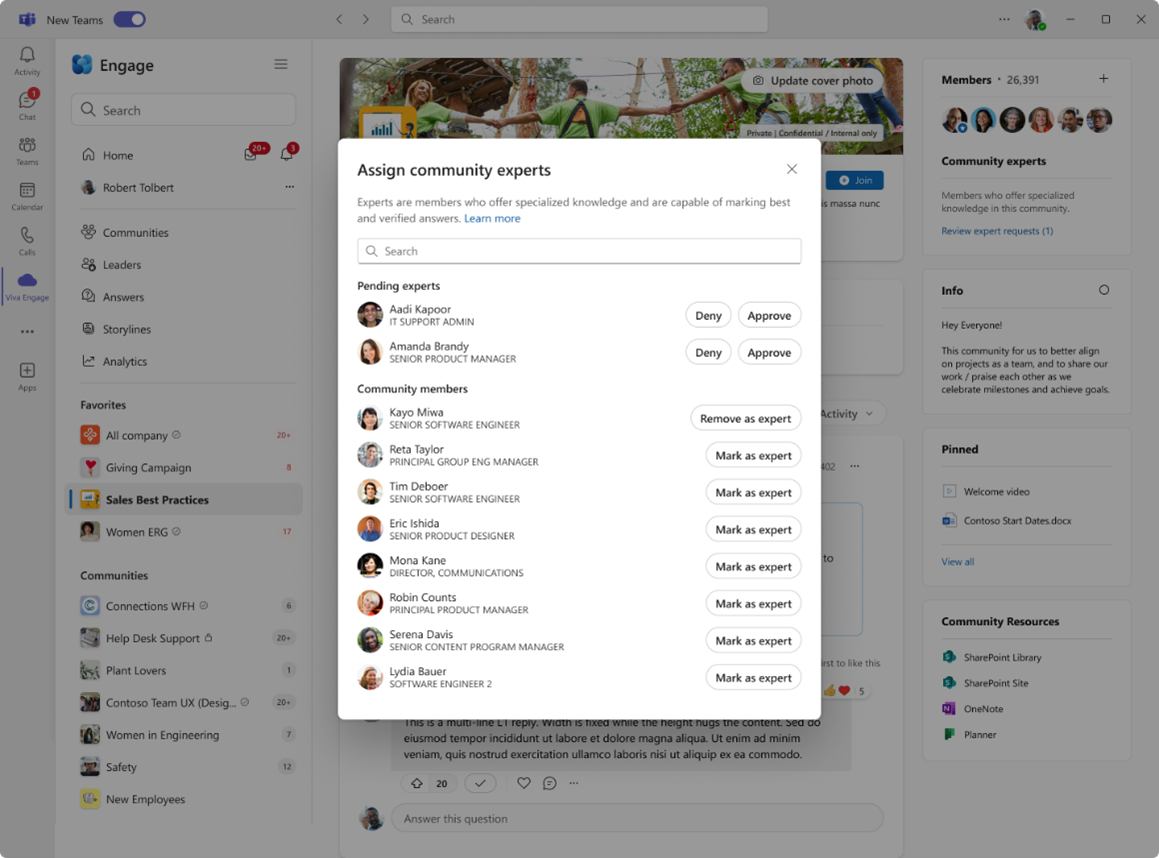
Available before the end of July, a new ‘Request to be an expert’ link will appear in the membership panel of Viva Engage communities for members who are not already community admins or experts. When clicked, users will see a description of the expert role and can submit a request. Community admins will receive a notification for the request and can review pending requests directly from the membership panel. A new toggle - enabled by default - allows admins to disable the self-nomination option for their community if desired.
Purview
Soon organisations will be able to define which content is the most sensitive and receive alerts when risky AI activity involves that content. This update is rolling out in August, and expected to be complete before the end of August.
On-demand classification of files on Windows devices is coming to Purview. This feature helps admins discover and classify sensitive content stored on devices, helping the investigation of potential incidents and exposure of risks. This feature is available now in Public Preview, but will begin rolling out generally in mid-November, and is expected to be completed before the end of November.
Advanced Scopes are being enhanced to improve how queries using ‘Not Equals’/’-ne’ behave when applied to multivalued attributes. Organisations that use Adaptive Scopes with ‘not equals’ logic on multivalued attributes (such as email addresses), might find that the behavior of those scopes may change. Users or groups previously excluded from a scope may now be included if one of their attribute values matches the exclusion condition. This change improves accuracy and consistency in scope evaluation but may result in changes to policy application or group membership. Microsoft recommends that organisations review existing adaptive scopes. This update is expected to be completed by mid-August.
Microsoft has previously announced that changes will be made so that SharePoint Online library permissions will be extended to downloaded files, based on sensitivity labeling. This is now in public preview. Originally it was planned to roll out now, but will instead be rolling out in August, and complete before late August.
Power Automate
On October 31st, Microsoft will be retiring the Utility.SendEmail API.
A new control for admins has been announced, allowing them to block agents created in Copilot studio. This feature provides a PowerShell command to block Copilot Studio agents by an admin. This feature will be available on July 15th.
Reaching general availability on July 30th, Microsoft have announced a testing framework for desktop flows. The testing framework is a structured approach to automate the process of testing desktop flows to ensure they function as intended.
This feature introduces a "Testing" module that includes two new actions for testing purposes: "Assert" and "Test a desktop flow”.
This feature enhances test case development by:
- Enabling users to create, edit, list, and delete test cases associated with a desktop flow
- Adding support for Power Automate for desktop actions to help with testing
- Allowing run and debug tests from Power Automate for desktop
Clipchamp
Microsoft has been working on a unified video experience across MS365. As a part of this, Stream and Clipchamp are being merged into a single destination for video creation and consumption. The Stream brand has gradually been transitioning to Clipchamp since December of last year and is expected to be completed before the end of this month.
Outlook
The Microsoft Teams Meeting add-in (in classic Outlook for desktop) will suggest meeting options to meeting organisers based on meeting details, helping with the scheduling of meetings, with optimised settings from the scheduling form. Organisers will be able to see meeting option suggestions in the setup pane of the scheduling form, when they schedule a Teams meeting. This will be available before the end of July.